

@hyperfrontend/
Structured logging with configurable severity levels and error-resilient execution.
What is @hyperfrontend/logging?
@hyperfrontend/logging provides a production-grade logging abstraction that wraps console-like log functions from any backend (console, Winston, Bunyan) with runtime log level control and automatic error handling. Unlike basic console wrappers, this library enables dynamic severity filtering without code changes or environment restarts - adjust verbosity in running production systems via the setLogLevel() API.
The core createLogger() factory accepts custom log functions for each severity level (error, warn, log, info, debug), wrapping them with conditional execution based on current log level and automatic error suppression to prevent logging failures from crashing applications. A pre-configured logger instance using console methods is available for immediate use.
Key Features
Adjust logging verbosity dynamically via
setLogLevel()without restarting processesLog levels follow standard hierarchy (error > warn > log > info > debug) with automatic filtering
Error-Resilient Execution
All log functions wrapped with error handlers to prevent logging failures from propagating
Accepts one console-like function per level, from console, Winston, Bunyan or a custom implementation
Conditional Execution
Log functions only execute when current severity meets or exceeds configured threshold
Frozen Interfaces
Logger instances are immutable to prevent runtime modification
Zero External Dependencies
Self-contained implementation with no third-party runtime dependencies
Type-Safe API
Full TypeScript support with strongly-typed log functions and levels
Why Use @hyperfrontend/logging?
Production Observability Without Restarts
Debugging production issues requires adjusting log verbosity on running systems without downtime. Traditional logging requires environment variable changes and process restarts, delaying issue resolution. This library exposes setLogLevel() APIs that adjust verbosity at runtime - increase debug output during incidents, then return to error-only logging once resolved. Integrate with admin endpoints or monitoring tools to control logging remotely.
Prevent Logging Failures from Cascading
Logging operations can fail (network issues for remote transports, serialization errors for complex objects, disk space for file logs). Standard console methods throw synchronously, potentially crashing applications during log operations. This library wraps every log function with error suppression - if logging fails, the error is swallowed and execution continues. Your application stays stable even when logging infrastructure fails.
Uniform Logging Interface Across Environments
Applications often use different logging libraries in different environments (console in development, Winston in Node.js production, browser-specific loggers in frontend). This creates environment-specific code branches and inconsistent log formats. Pass any backend's log functions to createLogger() and receive a uniform API across all environments. Switch underlying implementations without changing application code.
Testable Logging Logic with Dependency Injection
Testing code with direct console.log() calls requires mocking global objects or capturing stdout, creating brittle tests. This library uses dependency injection - pass mock functions to createLogger() during tests to capture log output programmatically. Verify log messages, assert call counts, and test conditional logging behavior without environment manipulation.
Minimize Production Log Volume Costs
Cloud logging services charge per log entry and storage volume. Applications using console.log() everywhere generate excessive logs, inflating costs without proportional debugging value. Set default log level to 'error' in production to capture only critical issues, then selectively enable verbose logging during investigations. Reduce log volume by 90%+ while maintaining debugging capabilities when needed.
Installation
npm install @hyperfrontend/loggingQuick Start
Using the Pre-Configured Logger
import { logger } from '@hyperfrontend/logging'

// Default level is 'error' - only error logs execute
logger.error('Critical failure', { code: 500 }) // ✅ Logged
logger.warn('Deprecation notice') // ❌ Filtered
logger.info('Request completed') // ❌ Filtered

// Increase verbosity at runtime
logger.setLogLevel('info')
logger.info('Request completed') // ✅ Now logged

// Check current level
console.log(logger.getLogLevel()) // 'info'

// Disable all logging
logger.setLogLevel('none')
Creating Custom Loggers
import { createLogger } from '@hyperfrontend/logging'
import winston from 'winston'

// Wrap Winston logger
const winstonLogger = createLogger(
  winston.error.bind(winston),
  winston.warn.bind(winston),
  winston.log.bind(winston),
  winston.info.bind(winston),
  winston.debug.bind(winston)
)

// Custom logger with structured output
const structuredLogger = createLogger(
  (msg, meta) => console.error(JSON.stringify({ level: 'error', msg, meta })),
  (msg, meta) => console.warn(JSON.stringify({ level: 'warn', msg, meta })),
  (msg, meta) => console.log(JSON.stringify({ level: 'log', msg, meta })),
  (msg, meta) => console.info(JSON.stringify({ level: 'info', msg, meta })),
  (msg, meta) => console.debug(JSON.stringify({ level: 'debug', msg, meta }))
)
Dynamic Log Level Control
import { createLogger } from '@hyperfrontend/logging'
import express from 'express'

const { error, warn, log, info, debug } = console
const logger = createLogger(error, warn, log, info, debug)

// Admin endpoint to control log level
const app = express()
app.post('/admin/log-level', (req, res) => {
  const { level } = req.body
  logger.setLogLevel(level)
  res.json({ level: logger.getLogLevel() })
})

// Automatically increase verbosity during errors
process.on('uncaughtException', () => {
  logger.setLogLevel('debug') // Enable debug logs for debugging
})
Testing Logging Behavior
import { createLogger } from '@hyperfrontend/logging'

test('logs only errors at error level', () => {
  const error = jest.fn()
  const warn = jest.fn()
  const logger = createLogger(error, warn)

  logger.setLogLevel('error')
  logger.error('Critical')
  logger.warn('Warning')

  expect(error).toHaveBeenCalledWith('Critical')
  expect(warn).not.toHaveBeenCalled()
})
Channels and Timing
import { createLogger } from '@hyperfrontend/logging'

const { error, warn, log, info, debug } = console
const logger = createLogger(error, warn, log, info, debug)
logger.setLogLevel('debug')

// channel() returns a sub-logger that prepends `[prefix]` to every emission.
// Nested channels chain with `:`; channel('build').channel('rollup') emits `[build:rollup]`.
const build = logger.channel('build')
build.info('starting') // [build] starting
build.channel('rollup').warn(':') // [build:rollup] :

// timed() wraps a sync call: success -> debug "<label> completed in Nms",
// failure -> error "<label> failed after Nms: <message>" then rethrows.
const value = build.timed('compute', () => expensiveSync())

// timedAsync() does the same for promise-returning calls and additionally
// dumps the stack trace to debug on rejection.
await build.timedAsync('bundle', async () => bundleAsync())
API Overview
One factory and one ready-made instance. createLogger takes five plain sink functions in severity order (error, warn, log, info, debug) and hands back a frozen logger; only the first is required, and the rest fall back to no-ops. Each sink you pass is wrapped twice on the way in: once so that a sink which throws (a dead socket, an unserializable object) can never surface at your call site, and once by a level check shared with every other method on the logger. The exported logger is that same factory already applied to the console methods, for when you do not need your own sinks.
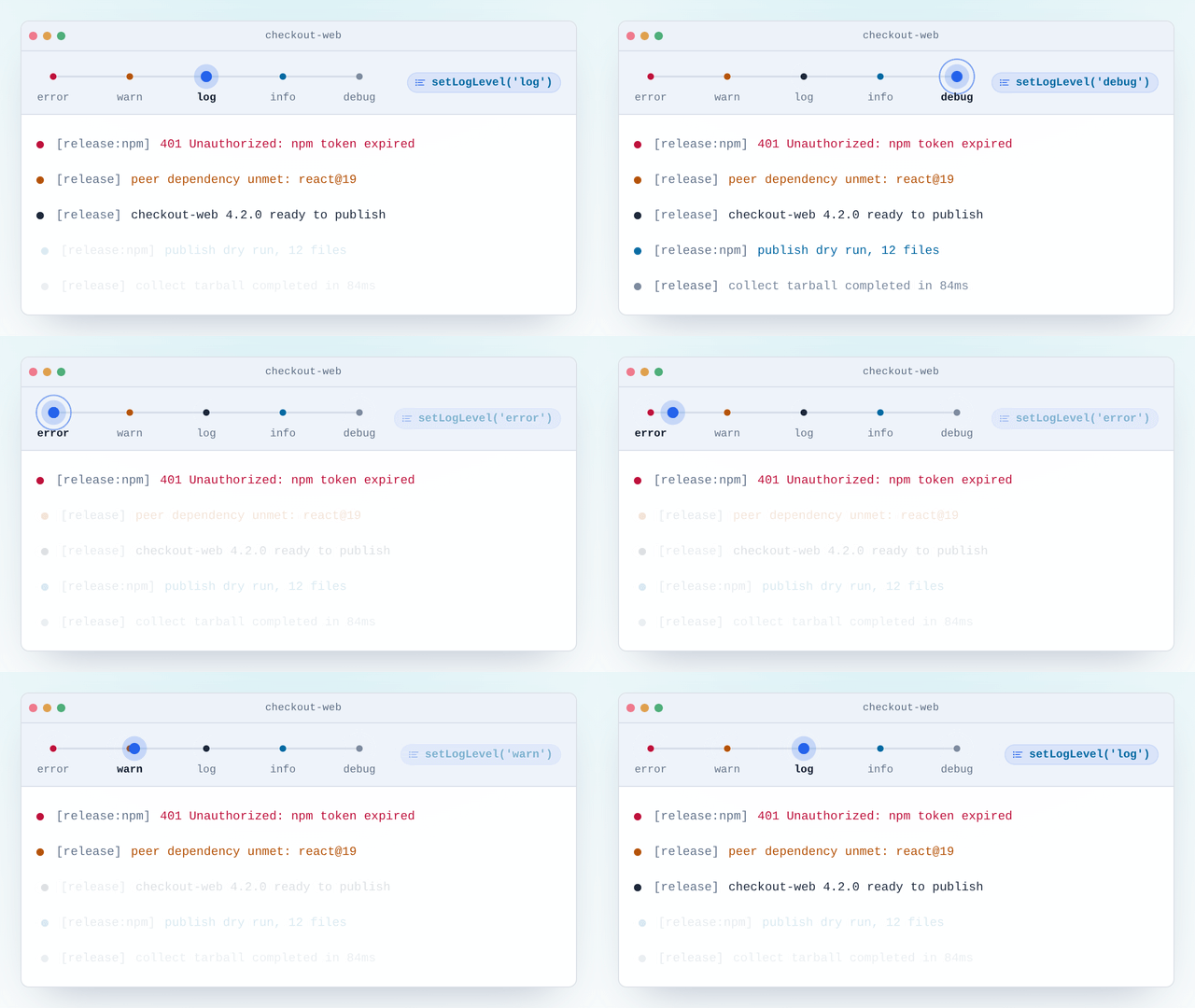
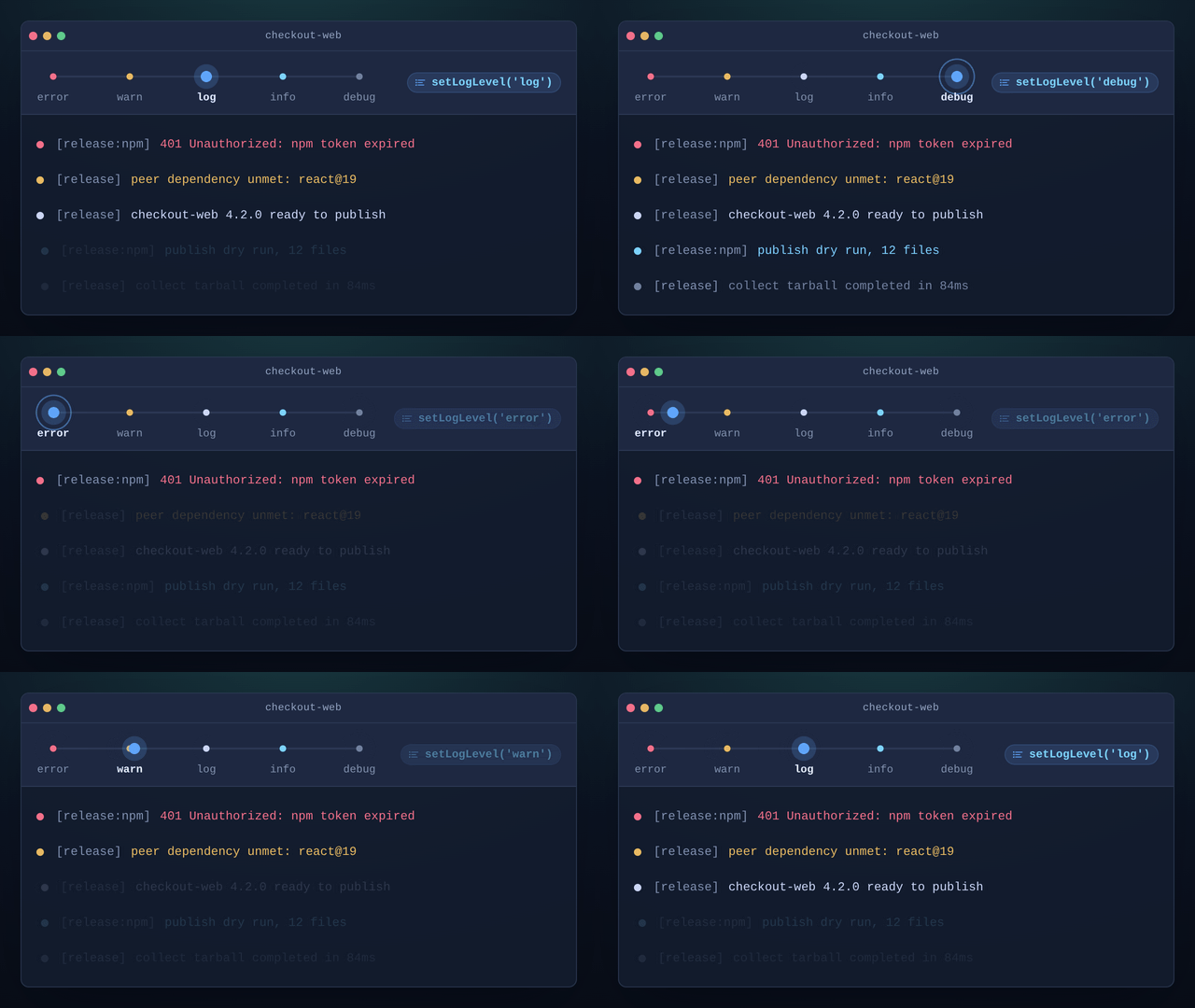
Verbosity is one dial rather than a build-time constant. setLogLevel and getLogLevel read and write state shared by the whole logger, so an admin endpoint or a signal handler can open the tap on a running process. A LogLevel is one of 'none', 'error', 'warn', 'log', 'info' or 'debug', and setting one admits it plus everything more severe. Note that log outranks info here, so a logger at 'log' still prints warnings and summaries while dropping the play-by-play. A fresh logger starts at 'error'.
Two affordances do the structuring. channel returns a sub-logger that prepends [prefix] as its own leading argument; channels nest and join with a colon, so logger.channel('release').channel('npm') emits [release:npm]. timed and timedAsync wrap a call and return whatever it returned, emitting <label> completed in <n>ms at debug on success and <label> failed after <n>ms: <message> at error on failure before rethrowing, so timing instrumentation never changes control flow. On a rejection timedAsync also sends the stack trace to debug.
Beside those sit two predicates and a lower-level piece: isValidLogger and isValidLogLevel for guarding values that arrive from configuration or a request body, and createLogLevelConfig when you want the priority machinery on its own without any sinks attached.
Every type, parameter and return shape is in the API reference.
Compatibility
Runs on
- Node.js>=18.0.0supported
- Browserssupported
- Web Workerssupported
Ships as
- ESMTree-shakeable
- CJSNode and older bundlers
- IIFEHyperfrontendLogging
- UMDHyperfrontendLogging
CDN Usage
<!-- unpkg -->
<script src="https://unpkg.com/@hyperfrontend/logging"></script>

<!-- jsDelivr -->
<script src="https://cdn.jsdelivr.net/npm/@hyperfrontend/logging"></script>

<script>
  const { createLogger } = HyperfrontendLogging
</script>
Global variable: HyperfrontendLogging
API Reference§
ƒFunctions
createLogger(
Parameters
| Name | Type | Description |
|---|---|---|
§error | ErrorLevelFn | Function to handle error-level logs (required) |
§warn | WarnLevelFn | Function to handle warning-level logs (optional, defaults to noop)(default: noop) |
§log | LogLevelFn | Function to handle standard logs (optional, defaults to noop)(default: noop) |
§info | InfoLevelFn | Function to handle info-level logs (optional, defaults to noop)(default: noop) |
§debug | DebugLevelFn | Function to handle debug-level logs (optional, defaults to noop)(default: noop) |
Returns
LoggerExamples
Creating a logger with log level filtering
const logger = createLogger(console.error, console.warn, console.log)
logger.setLogLevel('warn')
logger.warn('Connection timeout') // logs
logger.info('Request complete')   // suppressed (below 'warn' level)
Channeling and timing
const logger = createLogger(console.error, console.warn, console.log, console.info, console.debug)
logger.setLogLevel('debug')
const build = logger.channel('build')
await build.timedAsync('bundle', async () => bundle())Parameters
Returns
LogLevelConfigExample
Managing log levels with priority checks
const config = createLogLevelConfig('warn')
config.shouldLog('error') // => true (error >= warn)
config.shouldLog('debug') // => false (debug < warn)
config.setLogLevel('debug')
config.shouldLog('debug') // => trueParameters
| Name | Type | Description |
|---|---|---|
§logger | unknown | The object to validate |
Returns
booleanExample
Validating a logger instance
const logger = createLogger(console.error)
isValidLogger(logger) // => true
isValidLogger({}) // => falseParameters
| Name | Type | Description |
|---|---|---|
§level | unknown | The value to validate, typically read from configuration or a request body |
Returns
unknownExample
Guarding a value of unknown shape
isValidLogLevel('error') // => true
isValidLogLevel('verbose') // => false

const fromConfig: unknown = process.env['LOG_LEVEL']
if (isValidLogLevel(fromConfig)) {
  createLogLevelConfig(fromConfig) // fromConfig is a LogLevel here
}◈Interfaces
Properties
timedAsync:TimedAsyncFnWraps a promise-returning call with timing. Dumps stack trace on error to debug log.Properties
◆Types
[prefix] to every message.type ChannelFn = (type DebugLevelFn = (type ErrorLevelFn = (type GetLogLevel = (type InfoLevelFn = (type LogFnName = Extract<type LogFunction = indexedAccesstype LogLevel = "none" | "error" | "warn" | "log" | "info" | "debug"type LogLevelFn = (type SetLogLevel = (type ShouldLog = (type TimedFn = (type WarnLevelFn = (●Variables
Related reading§
- Tutorial
Build a CLI with a --verbose mode
My command line tool is either silent or drowning in console.log, the diagnostics land on stdout where they break every pipe, and when a run fails I cannot tell which stage went wrong or how long it took.
- Package
@hyperfrontend/function-utils
Built on @hyperfrontend/function-utils for error-resilient execution
- Getting started
Getting Started
Set HyperFrontend up and embed a first feature.
- Architecture
Architecture Guide
How the packages fit together.